Monitor Claude Code from your phone
Agent sessions run long. You shouldn’t have to sit at your desk watching them. Praxix Remote is the phone companion to Praxix: pair once with a QR code, then supervise your Claude Code sessions from wherever you are.
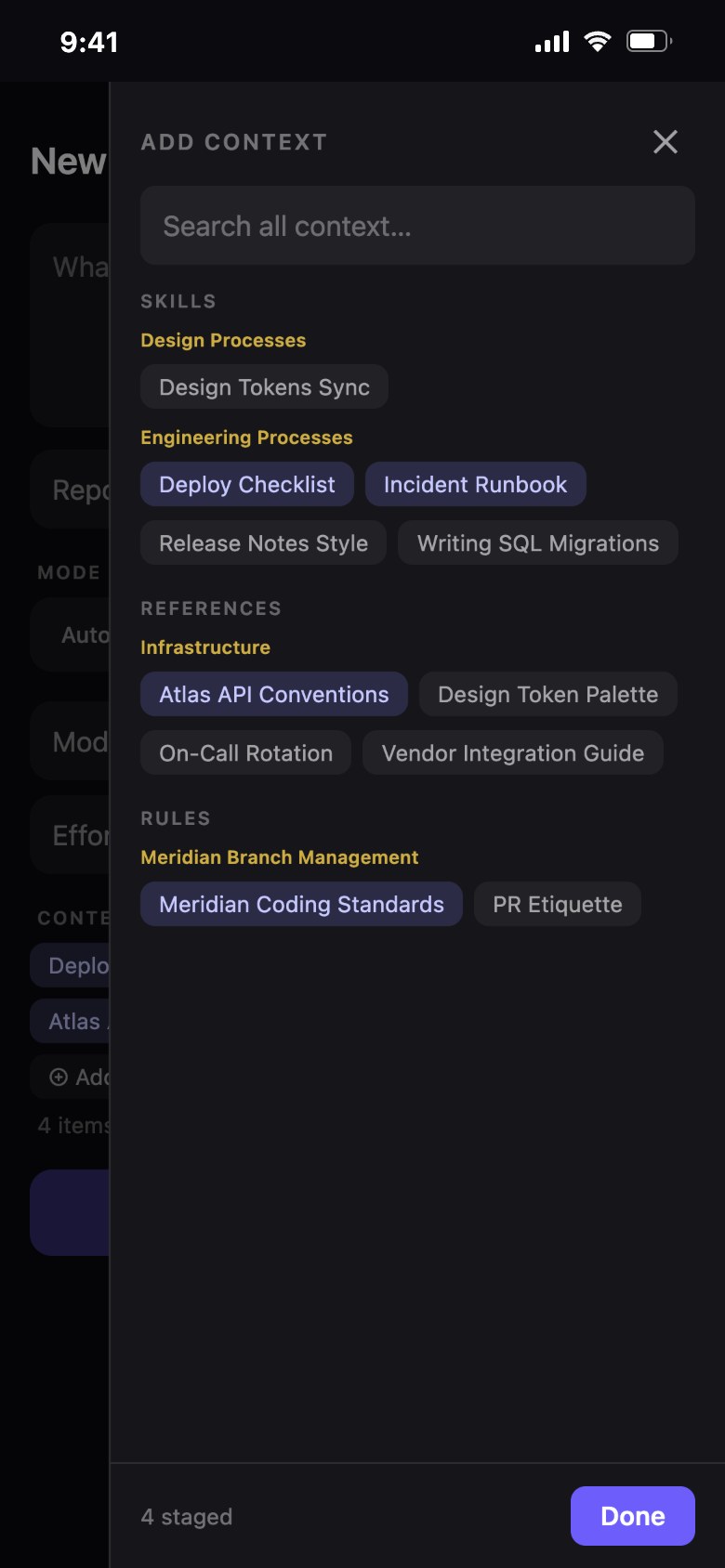
Watch sessions live
Your active sessions stream to your phone — output, status, and progress in real time. Step away from the desk mid-task and keep watching from the couch, the coffee line, or the school pickup lane.
Answer when it asks
The expensive failure mode of long-running agents is silence: the agent hit a question and sat waiting while you were away. Praxix Remote pushes a notification when a session needs you, and you reply from the phone — the answer lands in the live session, and work continues.
Start work from anywhere
The launcher lets you kick off new sessions on your Mac from your phone — pick the project and the preset, and the session starts at home with the full curated context, exactly as if you’d started it at the desk.
End-to-end encrypted, by design
Your phone and your Mac encrypt everything to each other; the relay in between forwards ciphertext it cannot read. We couldn’t look at your sessions if we wanted to. Pairing is a one-time QR scan from the desktop app.
Try Praxix on your next session
Runs on your Mac — your code never leaves it. Subscription required; 30-day refund, no questions asked.

Praxix Remote is free with Praxix. iPhone, iOS 13 or later — listed on the App Store as “Praxix”.
Frequently asked questions
- Can the relay see my code or conversations?
- No. Praxix Remote uses end-to-end encryption between your phone and your Mac. The relay routes encrypted messages without the keys to read them.
- Is Praxix Remote an extra subscription?
- No — it’s included with Praxix. One subscription covers the desktop app and the phone companion.
- What phones are supported?
- iPhone first, via the App Store. An Android version is under consideration.
- Do I need Praxix Remote to use Praxix?
- No. The desktop app is complete on its own — Remote is there for the days you can’t be at the desk.