Precision context for engineers shipping real software with Claude Code.
A native Mac app that runs the official Claude Code CLI with your own Anthropic account — so you choose what each session knows, see it before you spend a token, and keep what it learns.
- Runs on your Mac — your code never leaves it
- Requires Claude Code and your own Anthropic account
- Subscription — 30-day refund, no questions asked
- Praxix Remote for iPhone included
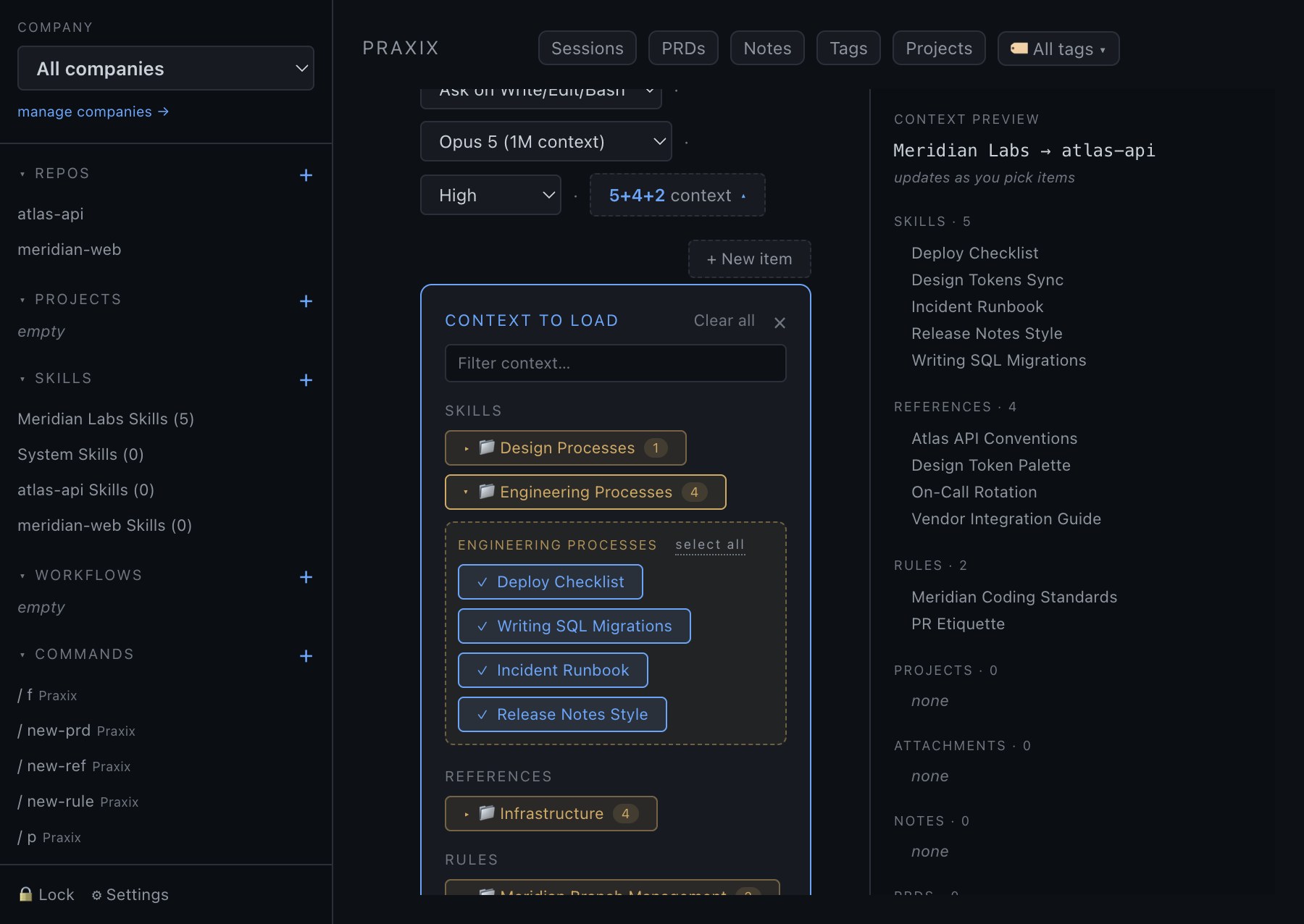
You did the right thing. It still cost you half your context.
You documented how your project should be built — its standards, rules, workflows, architecture, and hard-earned institutional knowledge — so your agent could do the work correctly.
But putting everything into CLAUDE.md meant every session loaded all of it, whether the task needed it or not. In my case, 55% of the available context was gone before I typed the first prompt.
Praxix changes the default. Choose the context the work requires, preview exactly what the agent will receive, and add more when it becomes relevant.
This problem is why I built Praxix.
Read the story behind PraxixEverything in the library
9 skills · 8 references · 5 rules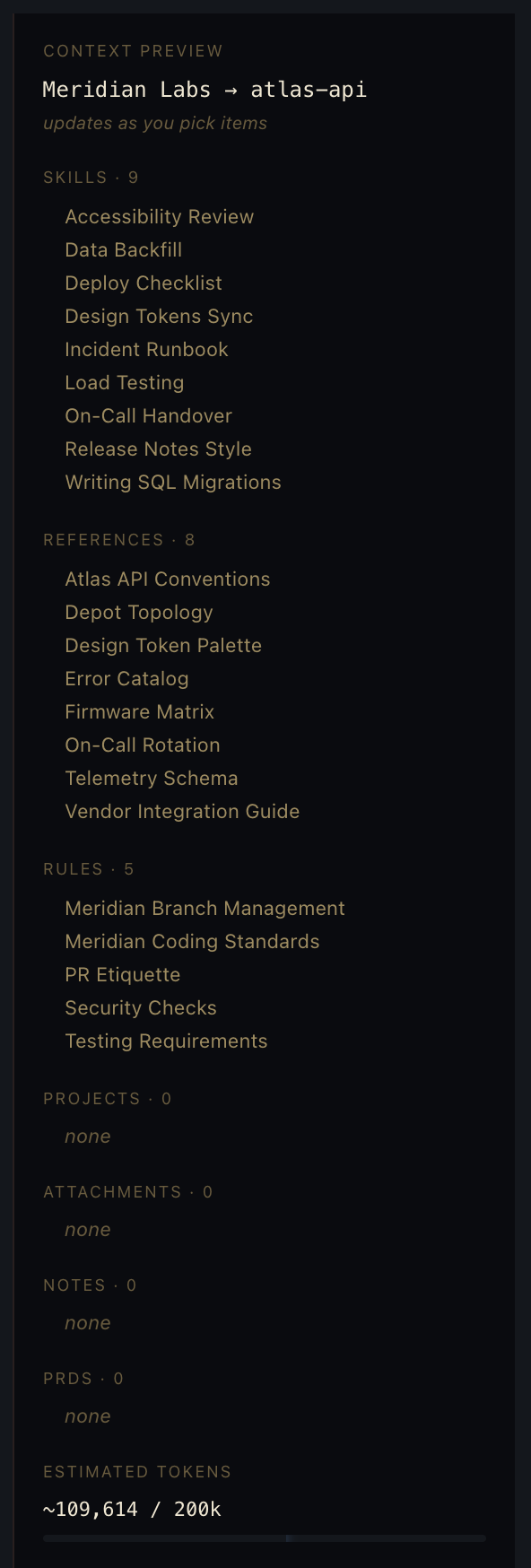
Only what this task needs
1 skill · 1 reference · 2 rules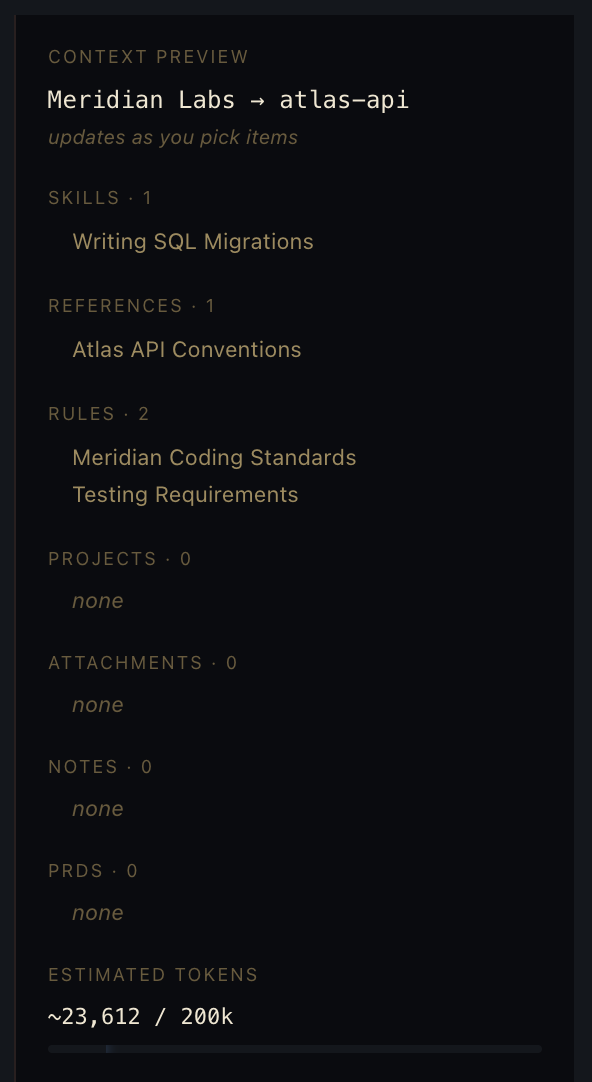
Three steps, every session.
Praxix does not change how Claude Code behaves. It changes what Claude Code knows when it starts — and lets you see that before you commit to it.
- 1
Compose the session
Pick the repo — and any secondary repos the task spans — then choose the skills, rules, references, and notes this particular piece of work needs. Combinations you repeat become presets; a project can carry defaults so routine sessions need no setup at all.
- 2
Check the preview
Before anything launches, Praxix shows you the exact context the agent will receive and what it will cost you in tokens. This is the step the terminal cannot give you: you find out the one document that mattered was missing now, not forty messages in.
- 3
Launch, and keep what it learns
The session runs on the official Claude Code CLI under your own account. Stage extra context mid-conversation and it is delivered live, without a restart. When you close the session, its handoff carries the decisions and gotchas forward — so Monday starts where Friday stopped.
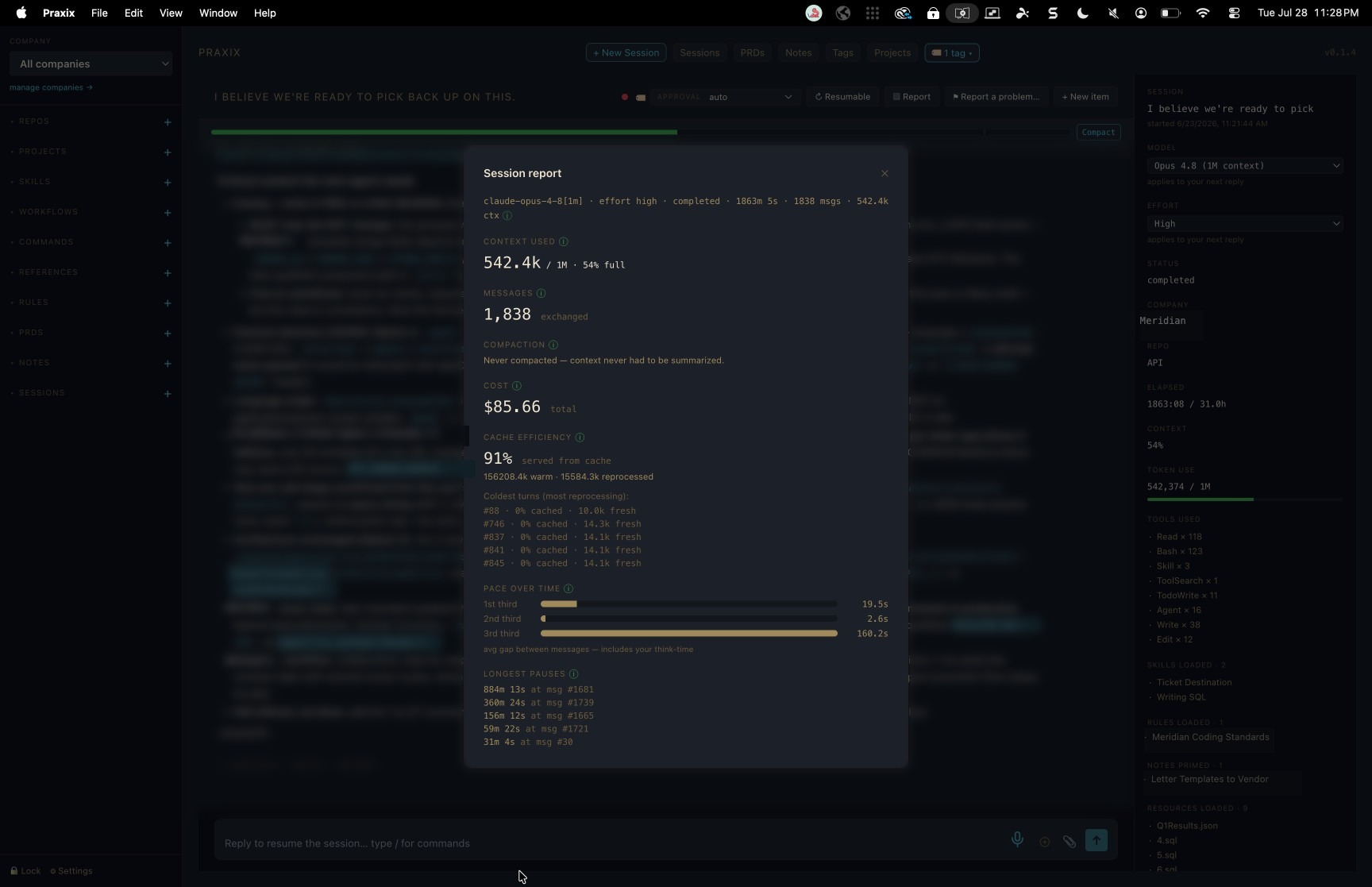
A real day's work, on the receipt.
One session, carried across a full day and the night in between — 1,838 messages deep, 542k of a 1M window used, and not one compaction. Nothing had to be summarized away, so what the agent learned early was still there at the end.
Hand it a big plan. Go to bed.
Some work takes all night. Praxix lets you see what the agent is doing the whole way through, and gives you a straight answer whenever you want one.
- It keeps going.
When the context window fills up, Auto-Handoff writes a handoff with the decisions so far and continues the work in a new session.
- It shows its work.
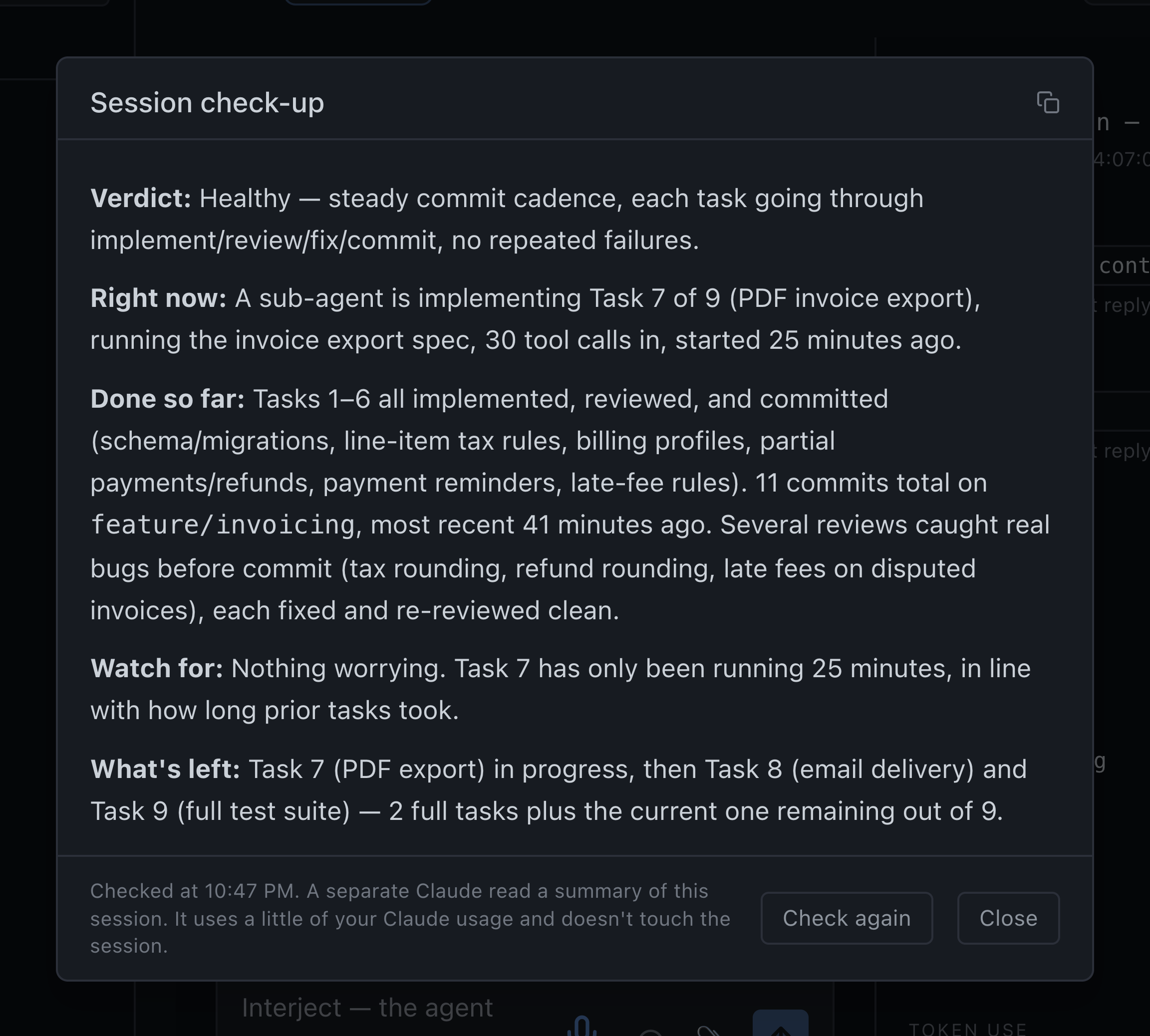
The session names what is running right now: the command, the sub-agent and how long it has been at it. It also lists every commit made along the way.
- Check on it in plain English.
One click gets you a short check-up: whether it is healthy, what it is doing, what is done, anything going in circles, and what is left. A separate Claude reads a summary of the session and never touches the work. Each check uses a little of your Claude usage.
It ended by asking the question a person should answer: what to do with the finished branch.
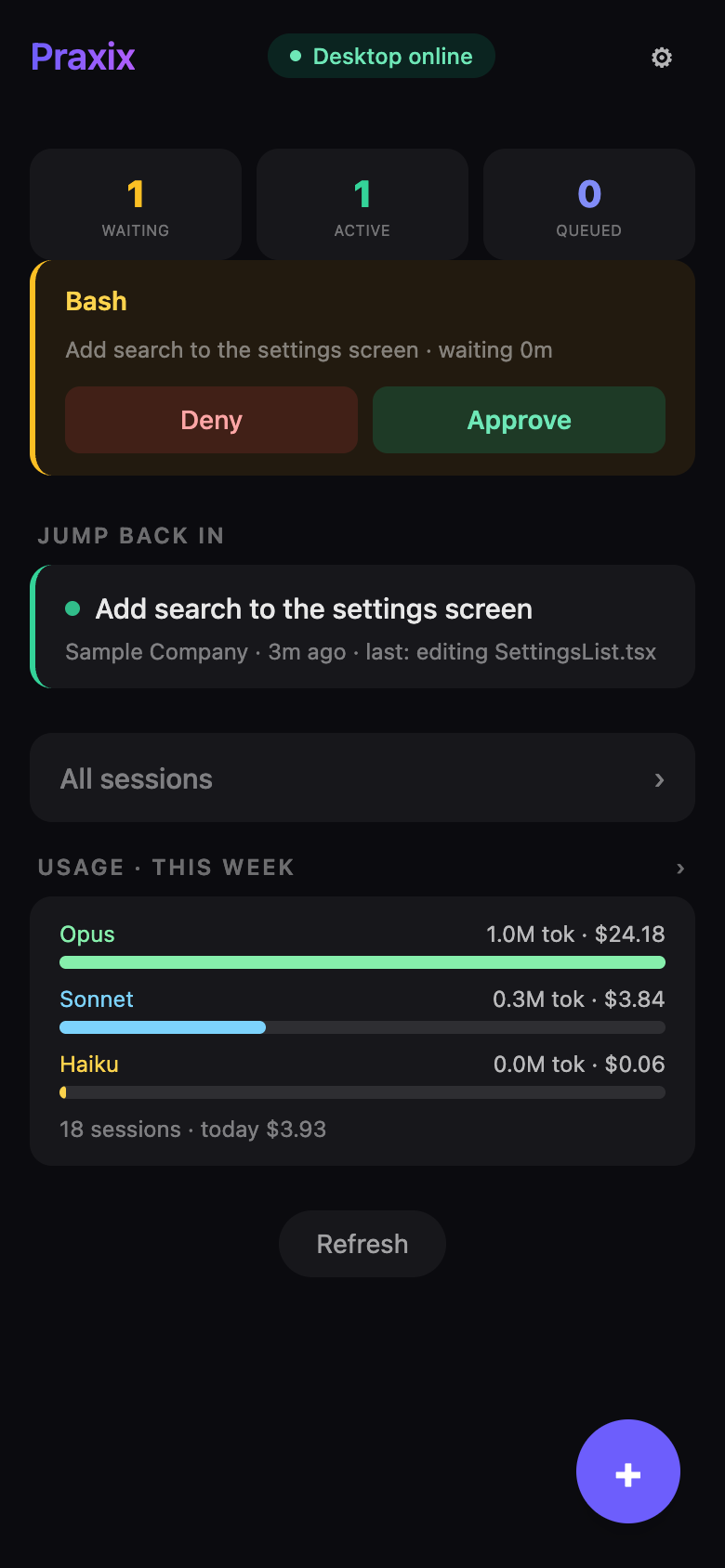
Your agents don’t stop when you stand up.
Pair your phone once and every live session is in your pocket: watch the stream, approve the next step, answer a question, or launch new work from wherever you are. Pairing is end-to-end encrypted — the relay passes messages it cannot read.

Free with Praxix. iPhone, iOS 13 or later — listed on the App Store as “Praxix”.
Your standards, in every session your team runs.
A Context Authority marks a rule, reference, or skill as Required, and Praxix applies it to every Claude Code session in your company. Members can’t remove it or edit it. It’s locked with a passphrase we never store, and every change is recorded where your team can see it.
Everything else your team builds is shared the same way: published once, synced to every engineer’s library, end-to-end encrypted.
REQUIRED BY YOUR TEAM · 3
- Meridian code standards[i]rule · company
- 02/09/26 — sam@meridian.example asked for a change
- 03/09/26 — dana@meridian.example handed control over (sam@meridian.example)
- 03/09/26 — sam@meridian.example set a new passphrase
- Security review checklistskill · company
- Firmware release processreference · repo: firmware
Set by your team’s Context Authorities. Ask the agent to recite it.
Context is the product.
Compose, don’t dump
Pick the skills, references, rules, and notes each session gets. Nothing else rides along.
Preview before launch
See the exact context — and what it costs — before the first token is spent.
Handoffs that carry
Close a session with a package the next one picks up. Monday knows what Friday learned.
A library that compounds
Skills, references, and rules organized by company, repo, and project.
Your world is portable
One file backs up everything. Move to a new machine in minutes.
Supervise from anywhere
Praxix Remote puts live sessions on your phone.
Simple pricing. Everything included.
Context engineering · Desktop · Remote · Teams · Every update.
Plus applicable sales tax, calculated at checkout.
Already bought and setting up a team? Go to the team dashboard.
One subscription — Praxix, Praxix Teams, and Praxix Remote, every update.
The subscription is the license: your desktop keeps working through your paid period, then locks until you're back. Your data stays on your machine either way.
Cancel anytime. 30-day refunds, no questions asked.
Questions, answered.
Praxix gives Claude Code a visual workspace built around precision context. Organize your repositories, skills, rules, references, notes, and project knowledge, then choose exactly what each session needs before you launch it.
Save repeatable combinations as presets, establish default context for projects and workflows, and keep your always-loaded CLAUDE.md lean. Instead of carrying every instruction into every conversation, Praxix helps each session begin with the context required for the work at hand — and nothing that does not belong.
The result is more focused sessions, less unnecessary token usage, and more room for Claude Code to complete substantial work before context becomes a limitation.
Praxix is surgical context engineering, built by engineers for engineers shipping real software.
No. Praxix launches and supervises the official Claude Code CLI using your existing Anthropic account. It does not replace, modify, or fork Claude Code.
Yes. Your existing Claude Code setup continues to work. Praxix can help you keep CLAUDE.md lean by organizing task-specific knowledge into reusable skills, rules, and references that load only when a session needs them.
Praxix meets you where you are. Start with an empty library, import an organized .claude directory, or bring a CLAUDE.md containing years of accumulated instructions and project knowledge.
With one action, Praxix can launch an agent to analyze your existing setup and propose a leaner structure — separating task-specific skills, rules, standards, and references into reusable context that can be loaded only when needed. You remain in control of what is converted and what stays in CLAUDE.md.
The goal remains the same: give Claude Code the knowledge of a seasoned member of your engineering team. The difference is precision. Instead of bringing everything that engineer knows into every conversation, Praxix gives each session only the expertise the work requires.
The setup may take minutes or require a more thoughtful migration, depending on what you already have. Either way, you organize that knowledge once, then reuse it through presets and project defaults across every relevant session.
Your code, context library, notes, and session history stay on your computer. Praxix runs locally and does not proxy your code or Claude Code conversations through our servers.
Two things can travel, and both travel encrypted. Praxix Teams content: skills, rules, and references a Context Creator or Context Authority intentionally publishes are sealed on their machine before upload, and we store only ciphertext we cannot read. And diagnostic reports, if you choose to send one: the report is encrypted on your machine to a support key before upload, our servers store only ciphertext, and it is decrypted only on a support machine to work your issue — then auto-deleted after 45 days. Everything else stays local.
Yes. Praxix Remote is included with your subscription. It lets you monitor live sessions, answer questions, receive notifications, and launch new work from your phone while Claude Code continues running on your computer.
Praxix runs on Apple Silicon (M-series) Macs, macOS 12 Monterey or later, as a signed and notarized native app. A Windows version is being scoped; there is no date yet. Praxix Remote is an iPhone app (iOS 13 or later) — on the App Store it is listed simply as “Praxix”.
Praxix continues working through the end of your paid period and then locks until you resubscribe. Your locally stored data remains on your computer.
Praxix includes a 30-day, no-questions-asked refund period.